Introduction
If you’re new to manufacturing, you’ve likely heard the term “CNC machine process” but may not fully understand what it means. Simply put, CNC (Computer Numerical Control) machining is a method where pre-programmed computer software dictates the movement of factory tools and machinery. This process allows you to create precise parts from metal, plastic, wood, and other materials with minimal human intervention.
Think of it like this: instead of a machinist manually turning handles to cut a piece of metal, a computer reads digital instructions and moves the cutting tool automatically. This shift from manual to digital control is what makes modern precision manufacturing possible. In fact, industry data shows that over 70% of global precision parts now rely on CNC machining. For automotive components alone, that number jumps above 95%.
This guide walks you through everything you need to know—from how CNC machines work to the step-by-step process of operating one. By the end, you’ll have a clear roadmap for understanding and even getting started with this core manufacturing technology.
What Makes CNC Machining So Important Today?
Before diving into the technical details, it’s worth understanding why this process matters. In modern manufacturing, CNC machining is the backbone of industries like aerospace, medical devices, and electronics.
Take an automotive engine block as a real-world example. Years ago, skilled technicians would manually machine these blocks, often achieving an error rate above 0.1 mm. Today, a CNC machine can hold tolerances within 0.005 mm—that’s 20 times more precise. What’s more, production speed increases by over 300%. This combination of accuracy and efficiency is why manufacturers everywhere have adopted CNC technology.
How Does a CNC Machine Actually Work?
What Is the Core Idea Behind CNC Technology?
At its heart, CNC technology uses digital instructions to control mechanical movement. The process starts with a digital design—usually a 3D model created in CAD (Computer-Aided Design) software. That design then gets converted into a language the machine understands, typically G-code and M-code.
These codes tell the machine exactly where to move, how fast to go, and when to start or stop cutting. So instead of relying on a machinist’s steady hand, the machine follows a precise digital map.
What Happens Step by Step During Machining?
You can break the CNC machine process into three clear stages:
- Information input
The operator creates or imports a CAD file into CAM (Computer-Aided Manufacturing) software. That software generates the CNC program with all the necessary instructions. - Data processing
The machine’s control system reads the program, interprets the codes, and converts them into electrical pulses that guide the motors. - Execution
The drive system moves the spindle, cutting tool, or workpiece along the programmed path. Material gets removed layer by layer until the final shape emerges.
A concrete example: aluminum smartphone frames. A manufacturer first designs the frame in SolidWorks. Then CAM software creates toolpaths for a CNC milling machine. Once the program loads, the machine’s X, Y, and Z axes move in coordinated steps, and a spinning end mill carves the frame from a solid aluminum block. What once took hours of manual work now completes in minutes with perfect consistency.
What Are the Main Types of CNC Machines?
Different machining tasks require different machine configurations. Here are the four most common types you’ll encounter:
| Machine Type | What It Does | Best For |
|---|---|---|
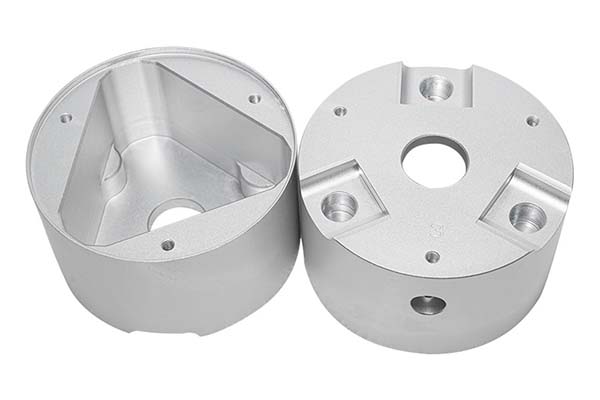
| CNC Milling Machine | Rotating cutting tools remove material from a stationary workpiece | Flat surfaces, slots, complex 3D shapes (like mechanical housings) |
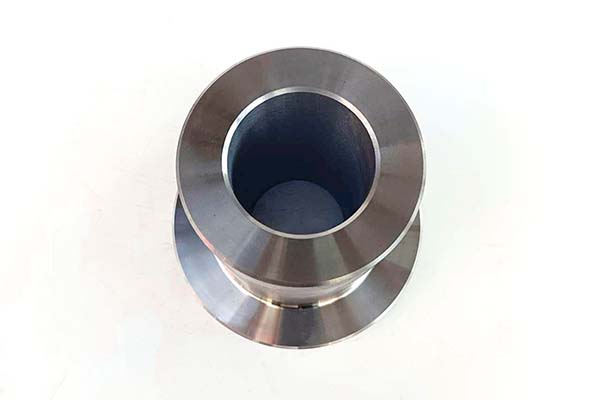
| CNC Lathe | Workpiece rotates while a fixed tool cuts away material | Round or cylindrical parts (shafts, bolts, bearing sleeves) |
| CNC Machining Center | Combines milling, drilling, and boring with automatic tool changing | Complex parts needing multiple operations in one setup (aerospace components) |
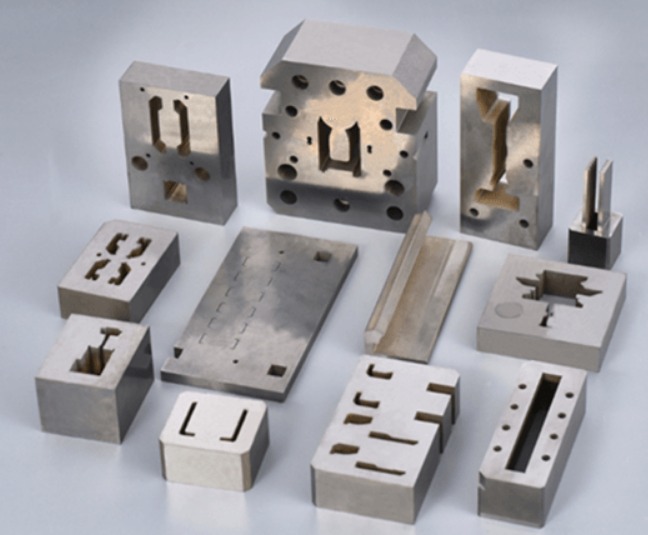
| CNC Wire EDM | Uses electrical discharges to cut through conductive materials | Precision molds, thin parts, intricate cavities |
Each type serves a specific purpose. If you’re machining a steel shaft, a lathe is your best choice. If you’re creating a gearbox housing, a machining center with multi-axis capability will deliver the required precision.
What Components Make Up a CNC Machine?
What Does the Control System Do?
The control system acts as the machine’s brain. It reads the CNC program and sends signals to the motors. Popular brands include Fanuc (Japan), Siemens (Germany), and GSK (China). In high-precision applications like mold making, a Fanuc 0i-MF control system can process up to 1,000 program blocks per second. That speed prevents lag and ensures smooth surface finishes.
How Does the Mechanical Structure Affect Performance?
The machine’s physical frame—the bed, table, spindle, and guideways—forms its skeleton. A rigid structure absorbs vibrations and maintains accuracy. For example, heavy-duty CNC lathes often use cast iron beds that undergo aging treatments to relieve internal stress. Without this, the machine could warp over time and ruin part tolerances.
Why Is the Drive System Critical?
The drive system converts electrical pulses into physical motion. You’ll typically encounter two types:
- Servo drives: High precision, fast response—used in advanced machining centers
- Stepper drives: Lower cost, simpler—suited for basic applications
A premium machining center using servo drives can achieve positioning accuracy of 0.001 mm, which meets the demanding requirements of aerospace parts.
What Role Do Tools and Fixtures Play?
Tools and fixtures are the parts that directly interact with your workpiece. Selecting the right tool depends on the material. For steel, carbide end mills work well. For aluminum, diamond-coated tools prevent material buildup.
Fixtures hold the workpiece steady. A simple three-jaw chuck works for round parts, while custom vises or tooling plates handle irregular shapes. In one case, machining stainless steel flanges required a carbide end mill paired with a three-jaw chuck to eliminate vibration and maintain flatness.
What Does the CNC Operation Process Look Like?
How Do You Go From Design to Program?
The journey begins with CAD/CAM software. First, you draw a 3D model in software like AutoCAD or SolidWorks. Next, you use CAM software such as Mastercam or UG to define the machining strategy—tool selection, cutting speeds, and toolpaths. Finally, the software generates the G-code that the machine reads.
A pro tip for beginners: Always run a simulation before cutting. CAM software lets you preview the tool’s movement, helping you catch collisions or programming errors before metal meets cutter.
What Happens During Machine Setup?
Once your program is ready, it’s time to prepare the machine. This involves:
- Loading the program into the control system
- Installing the correct tool and fixture
- Performing tool setting (telling the machine where the tool tip is relative to the workpiece)
- Calibrating spindle speed and feed rates
Tool setting is especially critical. A 0.02 mm error in tool setting will directly transfer to your finished part. Many shops now use automatic tool setters that achieve accuracy within 0.0005 mm.
How Do You Monitor the Cutting Process?
During machining, you’re not just waiting. You need to watch for signs of trouble. Listen to the machine—a steady hum is normal, but screeching or banging means something is wrong. Check the cutting fluid flow; inadequate cooling can overheat tools and cause premature wear.
For example, when machining aluminum, insufficient cutting fluid often leads to built-up edge, where material sticks to the cutter and ruins the surface finish. Catching this early saves both time and tooling costs.
What Comes After Machining?
After the cycle finishes, the part isn’t ready for use just yet. Post-processing steps include:
- Deburring sharp edges
- Cleaning off oil and chips
- Heat treatment if required
Then comes quality inspection. Use calipers, micrometers, or a coordinate measuring machine (CMM) to verify dimensions. If a hole measures 0.02 mm undersize, it could be due to tool wear. Replacing the cutter and running a finishing pass usually solves the issue.
Conclusion
The CNC machine process combines digital precision with physical craftsmanship. From the initial design in CAD software to the final quality check, each step builds on the last. For beginners, the path forward is clear: start with the fundamentals of programming and machine setup, then gain hands-on experience with simple parts. Over time, you’ll develop the instincts to optimize toolpaths, choose the right cutting parameters, and troubleshoot issues quickly.
As manufacturing trends toward Industry 4.0, CNC machines are becoming smarter—equipped with sensors, remote monitoring, and adaptive controls. For professionals, staying current with these advancements will be essential. For businesses, selecting the right CNC equipment and refining processes directly impacts competitiveness. Whether you’re an aspiring machinist or a business owner, understanding this core technology opens doors to precision manufacturing.
FAQ
What skills should a beginner focus on when learning CNC machining?
Focus on three areas: basic CAD/CAM programming (to create and modify simple parts), machine operation (tool installation, tool setting, and calibration), and quality inspection (using calipers and micrometers to verify parts).
What causes dimensional errors in CNC machining?
Common causes include programming mistakes (wrong toolpaths or speeds), tool setting errors (incorrect zero position), machine wear (worn guideways or spindle bearings), and tool or fixture problems (dull cutters or loose clamps).
How do I choose the right CNC machine for different materials?
For hard materials like steel, use milling machines or machining centers with carbide tools. For cylindrical parts, choose a CNC lathe. For thin or intricate parts, consider wire EDM. For aluminum, milling machines work well—just pay attention to cutting speeds and cooling.
Why is cutting fluid important in CNC machining?
Cutting fluid serves three purposes: it cools the cutting zone to prevent overheating, lubricates the tool-workpiece interface to reduce wear, and flushes away chips to keep the cutting area clear.
Contact Yigu Technology for Custom Manufacturing
At Yigu Technology, we specialize in precision CNC machining for a wide range of industries. Whether you need rapid prototypes, complex production runs, or help optimizing your current manufacturing process, our team brings years of hands-on experience to every project. We combine advanced CNC equipment with rigorous quality control to deliver parts that meet your exact specifications. Contact us today to discuss your custom manufacturing needs.